The Manu Times
Shipped · 2023

Pilipinas Live · Shipped 2023

Pilipinas Live

The first global Filipino sports OTT, and the reference implementation that shaped the Quickplay platform underneath. A multi-surface, second-screen-aware live-sports product built for Filipinos worldwide.

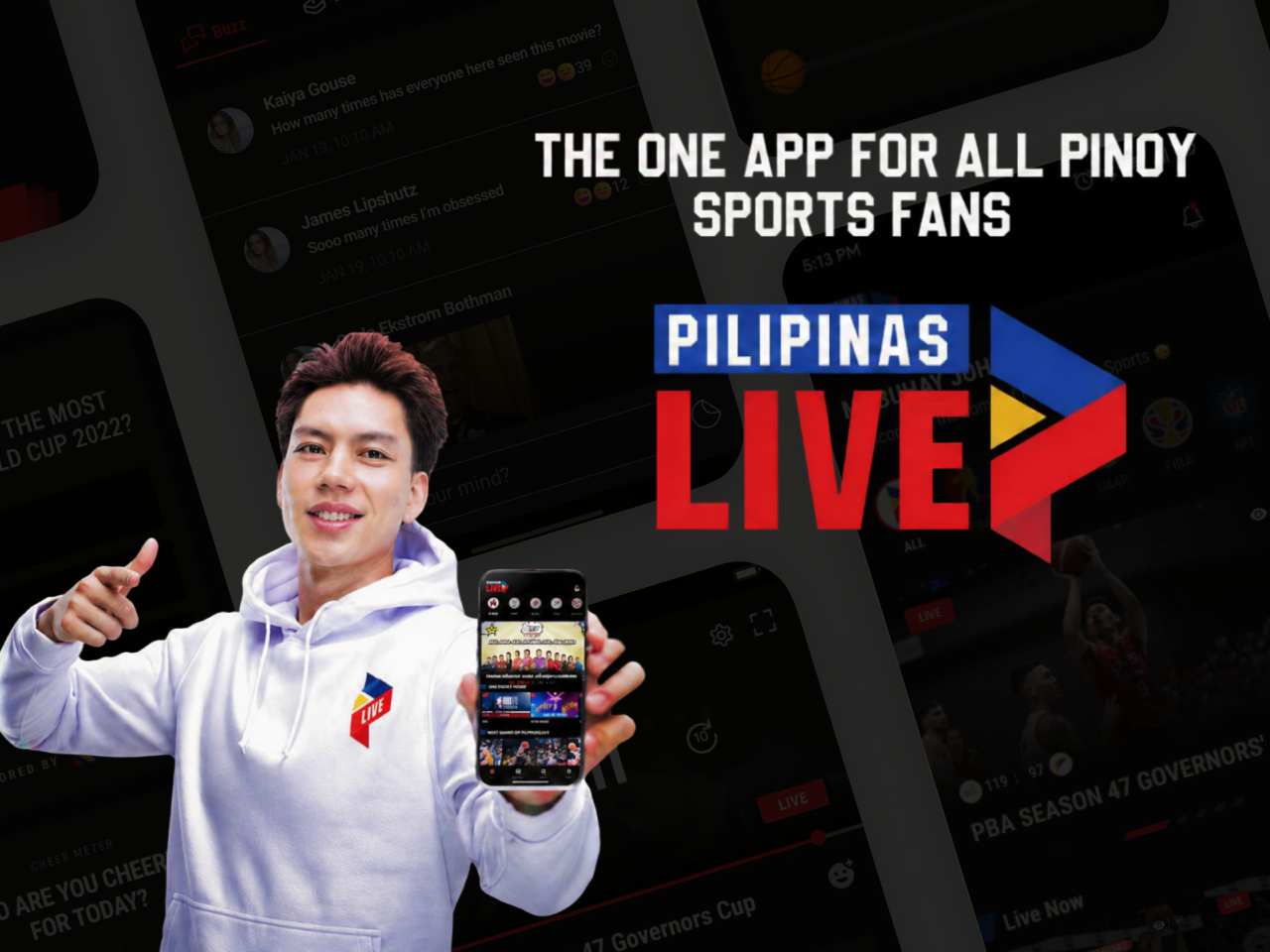
Pilipinas Live cover

At a glance

RoleProduct Designer · HumanX · Lead designer for the launch implementation
Timeline2023 · End-to-end launch design across web, iOS, Android, Apple TV, and smart-TV
DomainOTT · Live sports · Diaspora media · Multi-surface streaming · Second-screen UX
PlatformWeb · iOS · Android · Apple TV · Smart-TV
TeamHumanX product design + engineering · Quickplay platform team · Pilipinas Live editorial + product leadership

The problem

Filipinos abroad were stitching together fan-cam streams, pirated feeds, and four chat apps to follow PBA and FIBA games, there was no single, legitimate, second-screen-aware home for Filipino sports outside the Philippines.

What I shipped

I shipped Pilipinas Live across five surfaces with one shared design system, live-match overlays tuned for sports attention, free-vs-premium clearly drawn, second-screen behavior designed in (not bolted on), and a free top-of-funnel that converted to subscription.

What I ownedMulti-surface UX strategy · IA · Live-match overlay pattern · Second-screen architecture · Free-vs-premium flow · Hi-fi UI across five surfaces · Design system for the launch · Dev handoff

The opportunity

Filipinos love basketball. Not in the abstract, in the plan-your-Sunday sense. PBA games are appointment viewing for millions in the Philippines and an even bigger emotional anchor for the diaspora abroad: ~12 million Filipinos working overseas, most of them keeping a thread back home through whatever stream they can find.

The problem: there was no single, legitimate, second-screen-aware home for Filipino sports outside the Philippines. Fans were stitching together fan-cam YouTube uploads, pirate streams, and four chat apps just to keep up. Pilipinas Live came in as the answer, a launch product on the Quickplay OTT platform, with HumanX leading the design.

I was the lead designer for the launch implementation. The brief: ship a global Filipino sports OTT across web, iOS, Android, Apple TV, and smart-TV, and do it in a way that the platform underneath could reuse for the next four clients on the roadmap.

The problem

Sports OTT is its own design discipline. The patterns from VOD-first platforms (Netflix, Disney+) don't transfer cleanly. The patterns from generic news/entertainment OTT (Cignal Play, Hotstar) don't either.

What I had to design around:

  • Live is the product, VOD is the long tail. When a live game is on, every other surface decision has to defer to it. When no live game is on, the home screen has to make replays and highlights feel as urgent as live.
  • Second-screen is the norm. Most Filipino sports fans are watching the game on the TV and using their phone for chat, stats, and team news. The product has to acknowledge that, not fight it.
  • Free-vs-premium is the business model. A free top-of-funnel was non-negotiable for diaspora reach; the premium tier had to feel worth it without locking out the moments that drive emotional engagement.
  • Multi-surface from day one. Five surfaces had to ship simultaneously, each with the right input model (remote vs. touch vs. mouse) and the right reading distance (lean-back vs. lean-forward).

How I worked

1. Primary research, fans, the diaspora, the broadcaster

The HumanX research track ran in parallel with the platform engineering work. I sat in on interviews with fans in Manila and the diaspora (US, Saudi, Singapore), and worked off the broadcaster team's audience data. The diaspora half of the audience consistently surfaced behaviors the home audience didn't, multi-time-zone scheduling, tighter group-chat rhythms, much higher willingness to pay for legitimate access.

Primary research, fan interviews in Manila and the diaspora (US, Saudi, Singapore), against broadcaster audience data

2. Jobs-to-be-done, what fans hire the product for

The JTBD frame helped separate "watch the game" from "follow the game", different jobs, different surfaces, different priorities. Live-game viewing got the lean-back treatment on TV. Following-the-game got the lean-forward treatment on phones, with score overlays, schedules, and team news pinned where the thumb naturally lands.

Jobs-to-be-done, “watch the game” vs “follow the game”, mapped to lean-back TV vs lean-forward phone

3. Information architecture, five surfaces, one story stream

The IA was the central deliverable. Each surface had to feel native to its input model while sharing the same content taxonomy (Live, Schedule, Replays, Teams, Highlights, News). The free-vs-premium boundary lives in IA, not in pricing, which screens, which moments, which features.

Information architecture, five surfaces, one shared content taxonomy, with the free-vs-premium boundary drawn into IA itself

4. Benchmarking + interventions + ideation

Before any wireframe, the team and I walked through every comparable sports OTT (live and on-demand), pulled out the patterns that worked, and sketched the interventions Pilipinas Live could ship that the others couldn't. The slides below are the working artifact, open them to see the slide-by-slide reasoning.

Inline prototype

Walk through the benchmarking + ideation

Click through the slide-by-slide benchmarking exercise, intervention sketches, and ideation that anchored the design decisions. This is the working artifact, not the shipped product.

Loading the prototype…
Open in Figma

Click into the frame · use ← → or the side panel to walk through screens

Embed not loading? Open it directly in Figma ↗

↯ Click into the prototype above, fully interactive.

5. Planning, sequencing the build

A multi-surface launch is logistical as much as it's design. I sequenced the work so the engineers could parallelize: shared tokens first, then surface-specific templates, then the platform-level components Quickplay would absorb back.

Plan, sequencing tokens → templates → platform components, week by week
Plan (continued), milestones, surface dependencies, and the platform extraction track

6. Wireframes, locking the patterns

The wireframes locked three load-bearing patterns: the live-match overlay (score, time, team logos, and a quick-toggle for the second-screen panel), the multi-surface home (live game first when on, schedule + replays first when off), and the free-vs-premium gate (premium teases without paywall surprise).

7. Design system, for one client and one platform

The Pilipinas Live design system was built knowing it had a second life as the Quickplay platform reference. Tokens, components, and templates were structured for clean extraction, a token swap and a brand-kit overlay should be enough to re-skin the whole thing for the next client.

8. Final UI, across five surfaces

The outcome

0

Surfaces shipped at launch

web, iOS, Android, Apple TV, smart-TV, one shared system

1st

Global Filipino sports OTT

PBA, FIBA, MPBL, legitimate, single home for the diaspora and home audience alike

Reference

Implementation for the Quickplay platform

patterns I shipped here became Quickplay platform components, see the separate Quickplay case study

Pilipinas Live launched on schedule across all five surfaces, with the live-match overlay pattern, multi-surface home, and free-vs-premium architecture all shipping intact. The product became the legitimate global home for PBA, FIBA, and MPBL coverage, and doubled as the proof point Quickplay needed to land the next three platform clients (Cignal Play, aha 2.0, Struum).

Final UI, Pilipinas Live home and live-match overlay across web and TV surfaces
Final UI, schedule, replays, and team pages with the lean-forward second-screen pattern
Final UI, free-vs-premium gate, the subscription flow, and the upgrade moment
Final UI, TV-first lean-back surface, remote-input optimized, with the live-match overlay native to the form factor

The patterns I designed for Pilipinas Live got extracted into the Quickplay platform library, that story lives in the Quickplay case study.

Reflection

Three things Pilipinas Live taught me.

1. Sports is its own design discipline. Reading list-of-results UI written for VOD products and trying to apply it to live sports is a fast way to ship a worse product. Live changes the hierarchy of every screen. Designing for that means starting from the live-match moment and working outward, not the other way around.

2. Second-screen is a feature, not an accident. The lean-back-on-TV / lean-forward-on-phone reality of Filipino sports fans isn't a bug to design around, it's the most reliable behavior in the product. Designing the second-screen panel as a deliberate surface (not a "if we have time, we'll do it later") was the right call.

3. Reference implementations are the most generous design work. Pilipinas Live shipped a great product. It also extended past itself, into the Quickplay platform, into three subsequent client launches, into the system that runs at 20M+ MAUs today. That extra 30% effort in the launch sprint paid off for years.

✶ Thanks for reading

That’s the case study, front to back.

If you want to dig into anything I skimmed over, process, edge cases, the trade-offs that didn’t fit on the page, reply by email or send this to a teammate.

✶ Read next